OSCR Underground

  Full Time Staff

Picture of Jose Noriega Jose Noriega
Computer Lab & Classroom Team Lead
Picture of Kate Rehkopf Kate Rehkopf
Client Services Team Lead & Faculty Liaison
Picture of Mike Birdwell Mike Birdwell
Desktop Systems Administrator
Picture of Chris Mathias Chris Mathias
Help Desk Supervisor
Picture of Karina Mc Cune Karina Mc Cune
Computer Lab Supervisor
Picture of Saba Tabikh Saba Tabikh
Computing Manager
Picture of Josh Harrison Josh Harrison
Systems Administrator

Located in room 136 of the Integrated Learning Center, underground off the courtyard.
Physical address: 1500 E. East University Dr. Rm 136
Phone: (520) 621-OSCR (6727)

Staffed Hours
ILC 136

Spring 2008

Mon - Fri: 7:30AM - 8PM


Take a virtual tour of the OSCR Underground.
Take a virtual tour of the machine room in OSCR Underground.

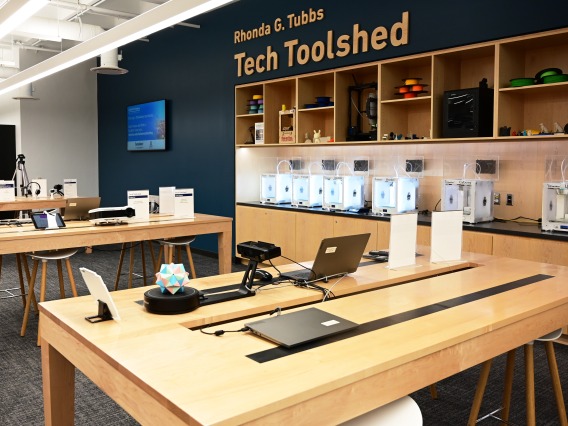
OSCR Underground houses technical staff from a variety of organizations providing a broad range of services.  OSCR Underground is located on the west side of the ILC courtyard;  Map to OSCR Underground.

ILC Classroom Support

The OSCR staff is available to provide assistance for the computer hardware and software located in the ILC classrooms. To report hardware problems, request software, or to ask for assistance, please call 621-OSCR (6727).

Additionally, UTC's Equipment Services staff located in the OSCR Underground, provide support for all the audio/visual equipment in the classrooms as well as access to following reservable teaching equipment:

  • Laptops for student use.
  • Student Response System with the capacity to poll up to 150 students.

Faculty Support

Faculty visiting OSCR Underground will find 10 general purpose computing stations and one scanning station for use on a first-come first-served basis. The hardware and software on these computers match that found in ILC classrooms making it the ideal location for instructors to create and view classroom materials. Instructors teaching in the ILC will have individual user accounts providing a customizable look and feel, along with personal server space to save class materials. This server space can be accessed via SSH from outside the ILC. Additionally, ILC instructors have access to free printing in either black and white or color. Instructors may also reserve cubicles in OSCR Underground for holding office hours.

OSCR Underground Help Desk Services:

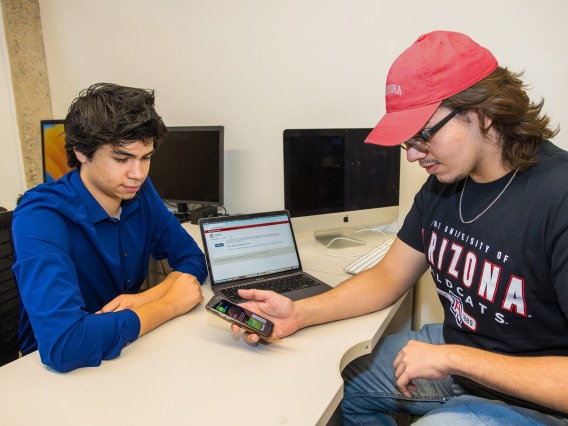
The OSCR Underground is home to many of OSCR's help desk services. At the OSCR Underground Helpdesk you can get assistance with your technology needs. We'll show you how to fix the problem and keep it from happening again!

Client Policies for Help Desk

  • You must remain with your computer for the duration of your visit.
  • When you sign in please be prepared with your NetID and CatCard.
  • You may not send anyone else in with your computer.
  • We will not install software without original CDs and license information.
  • You may be required to provide proof of ownership.
  • Laptop owners must have the laptop power supply with them at the time of service.
  • If you are more than 10 minutes late for a scheduled appointment you will be considered a "no-show" and will be prohibited from making a scheduled appointment for 30 days.
  • OSCR staff reserves the right to reschedule your service if resolution will take longer than originally allocated.
  • Workbench computers are for OSCR staff only.
  • Please refrain from using your cell phone while working with an OSCR consultant.
  • No animals are allowed except assistive service animals.
  • Campus regulations prohibit bringing bicycles into any building.
  • Please be courteous to others in the OSCR Underground.
  • If your behavior is disruptive you will be asked to leave.

OSCR Underground in the ILC:


UA Students, faculty, and staff can find assistance with:
  • General computing questions
  • Virus/spyware removal
  • Software configuration
  • Hardware troubleshooting
  • Purchase recommendations
  • Computing security
  • Wireless network issues
  • MAC address registration

Assistance is available through walk-ins and appointments. The OSCR Underground is located in ILC 136. Call 626-TECH (8324) for more information!

It is important to understand that OSCR employees will NOT do your work for you.   We will gladly show you what needs to be done and provide assistance if you have any trouble following the steps, but you must be prepared to do the work yourself.

Mobile Help Desk

OSCR's Mobile Help Desk comes to you! Mobile Help Desk services will now come to your residence hall room and will soon be visiting a department near you! For more information see the Mobile Help Desk page.

Emergency CD

Has your computer started to run extremely slow or display a lot of pop-ups? Do you think you have problems with viruses, spyware or adware? Have you been blocked from the network? Is your computer refusing to start up?

OSCR has developed an Emergency CD that you can use to boot up a Windows machine and run anti-virus and anti-spyware cleanup. Make an appointment or wait for walk-in service in OSCR Underground to have an OSCR tech clean your machine, or ask for an Emergency CD at the Help Desk or any OSCR lab to do it yourself.

Emergency CD instructions Step-by-step instruction for using the Emergency CD. (Adobe PDF: 3.7 Mb)

Current Emergency CD version: version 1.1; do not use after January 16, 2008

For more information on computer help from OSCR, see the Computer Help section of our website.

Student Staff

Brian Butler Brian Butler
Technical Lead
Vincent Catalano Vincent Catalano
Technical Lead
John Dill John Dill
Tech Lead

Steven Elias Steven Elias
Technical Lead
Sean Engelsen Sean Engelsen
Tech Lead
Jonathan Moser Jonathan Moser
Technical Lead

Sean Peterson Schnell Sean Peterson Schnell
Tech Lead
Garret  Picchioni Garret Picchioni
Technical Lead
Richard Reichenbacher Richard Reichenbacher
Technical Lead

Daniel Schneider Daniel Schneider
Technical Lead
Charles Steinke Charles Steinke
Technical Lead
Chris Stoecker Chris Stoecker
Technical Lead

Ryan Tomkus Ryan Tomkus
Technical Lead
Garret Zuppiger Garret Zuppiger
Technical Lead
Cassandra Lundberg Cassandra Lundberg
Technical Support Assistant

Candice Tremble Candice Tremble
Technical Support Assistant
David Wampler David Wampler
Technical Support Assistant